
Skip to content

Turtle Tracer

Draw your FTC autonomous on the field, watch your robot drive it, and export the code.

Built for FTC robots that use Pedro Pathing. Runs on macOS, Windows, Linux, and in your browser.
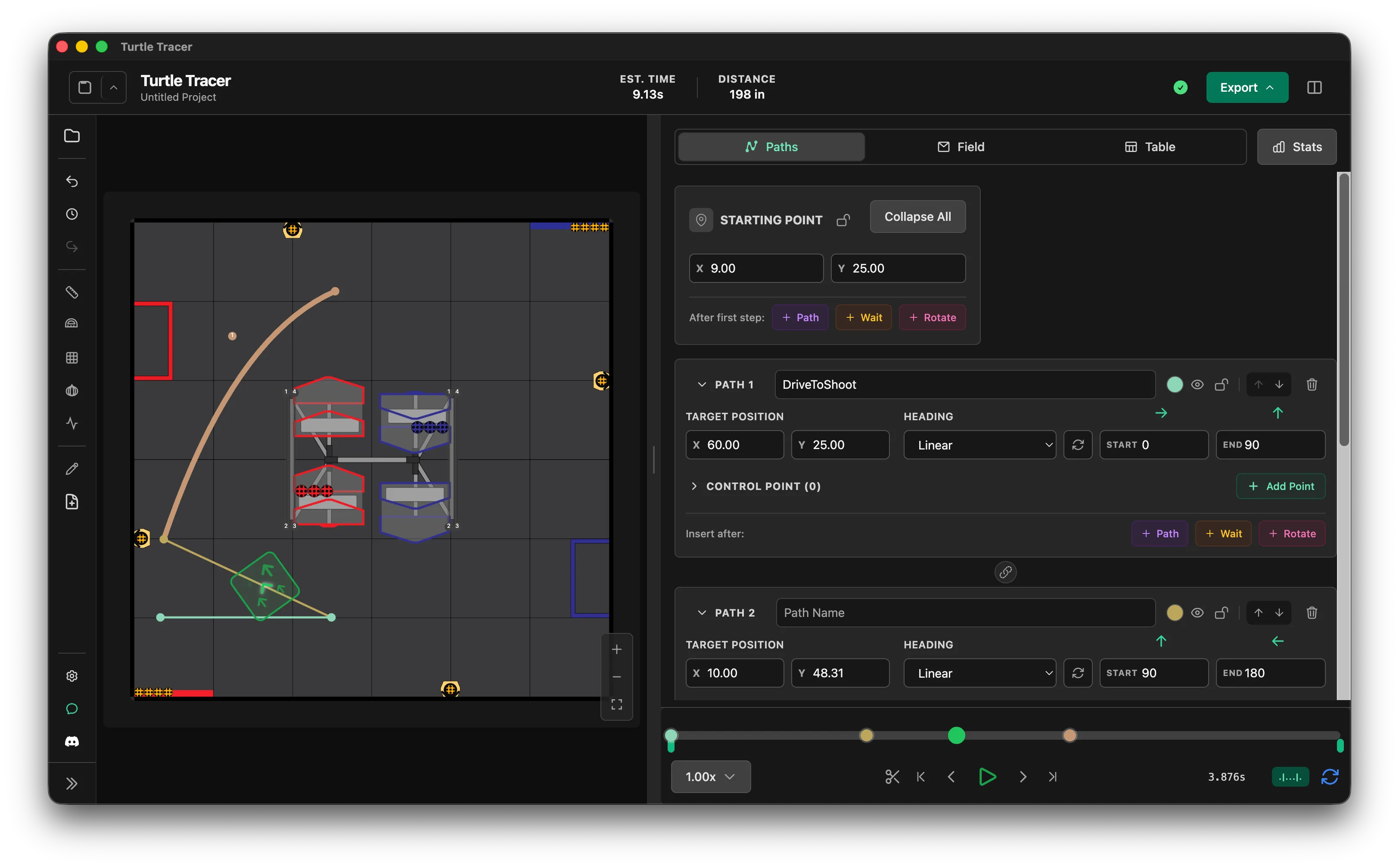
Draw the route

Click the field to add a path, then drag the points to shape the curve.

Choose how the robot faces on each path.
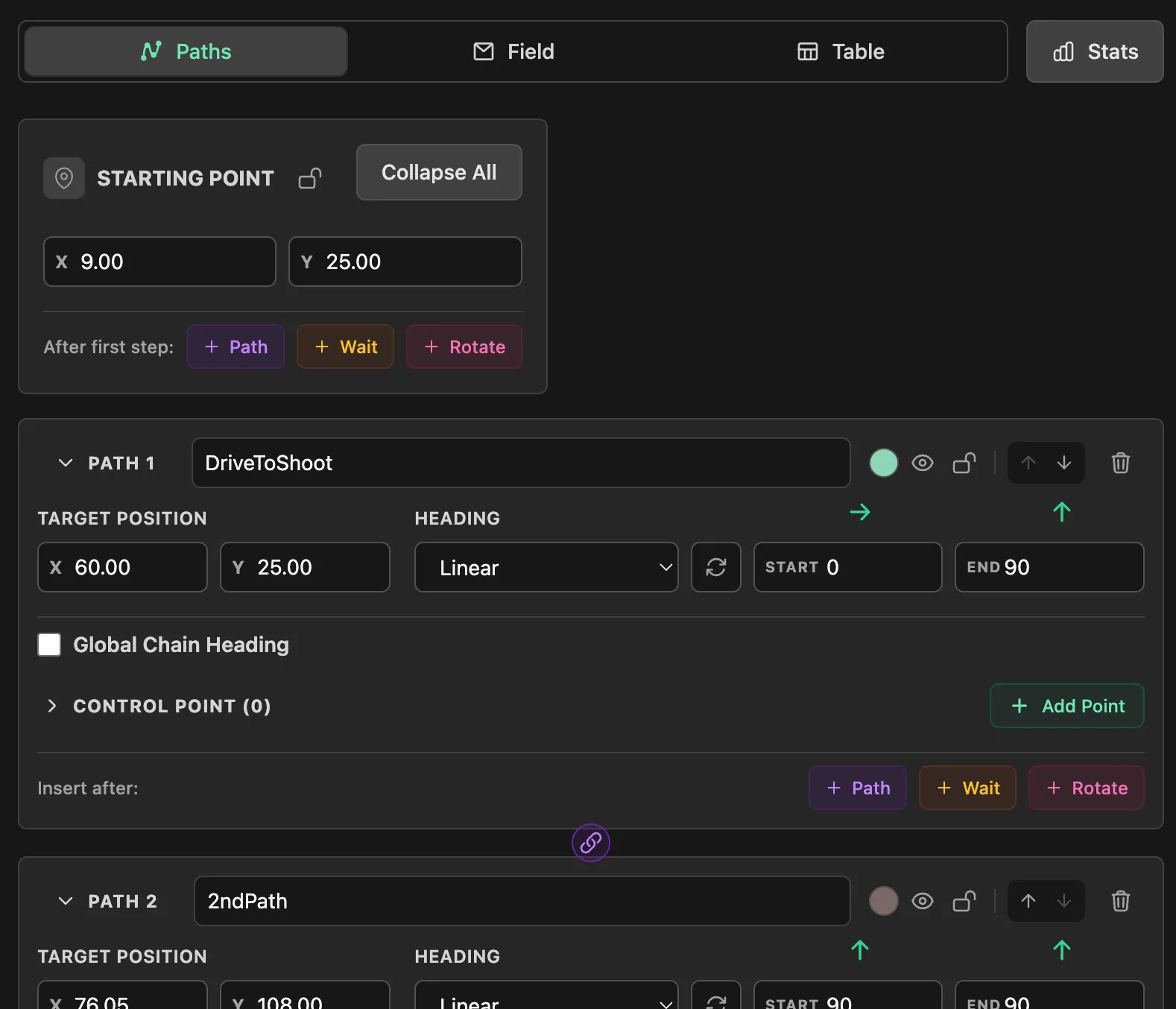
Path Editing

The Paths tab, showing the starting point and an expanded path panel with its name, target position, heading mode, control points, and the Insert after buttons.

Watch it drive

Press Space and the robot drives your route, timed with your robot's speed and braking.

Chained paths swing wide at the join, the way Pedro drives them.
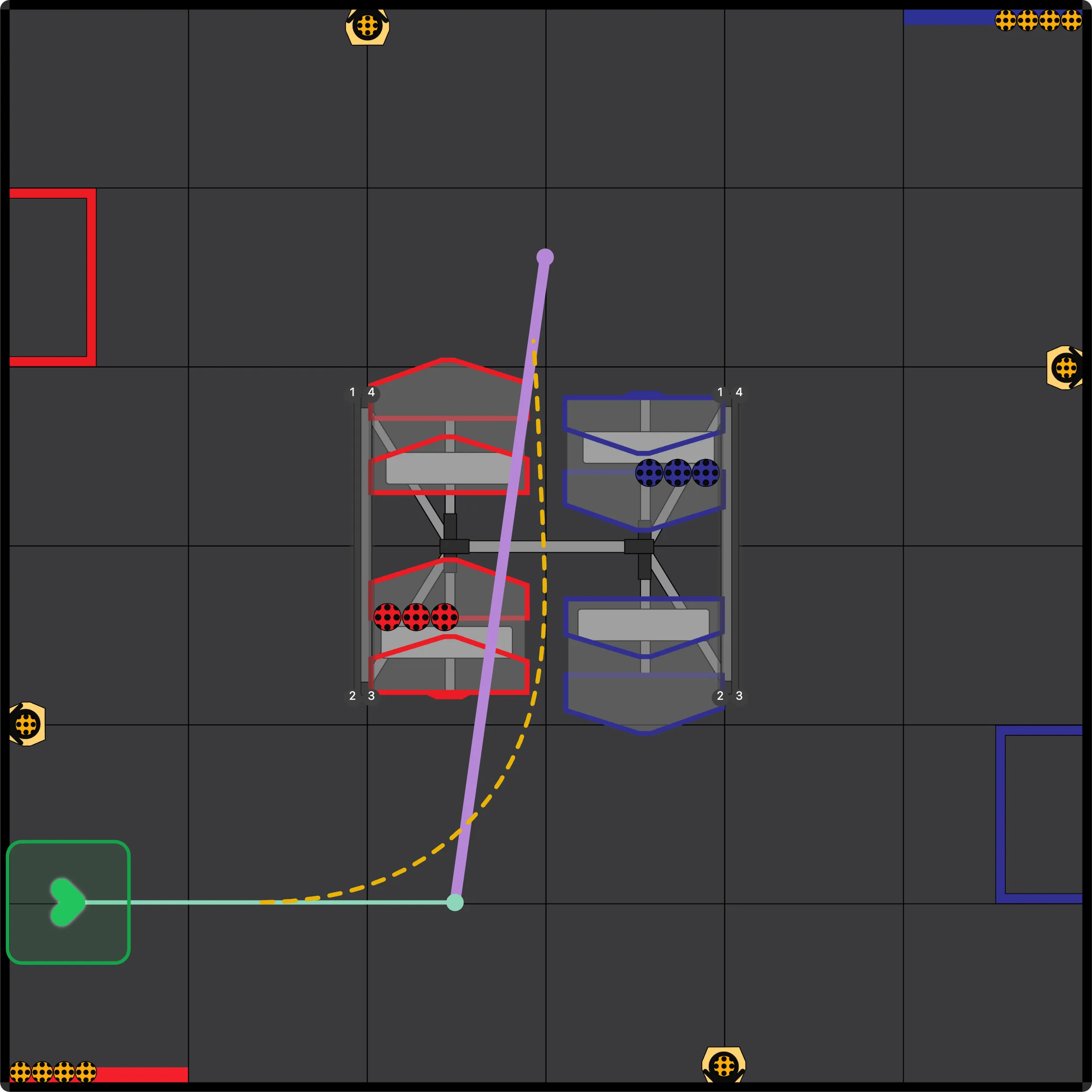
Simulation & Playback

Catch problems early

Validation marks paths that hit an obstacle or leave the field.

The optimizer can find a faster way around.
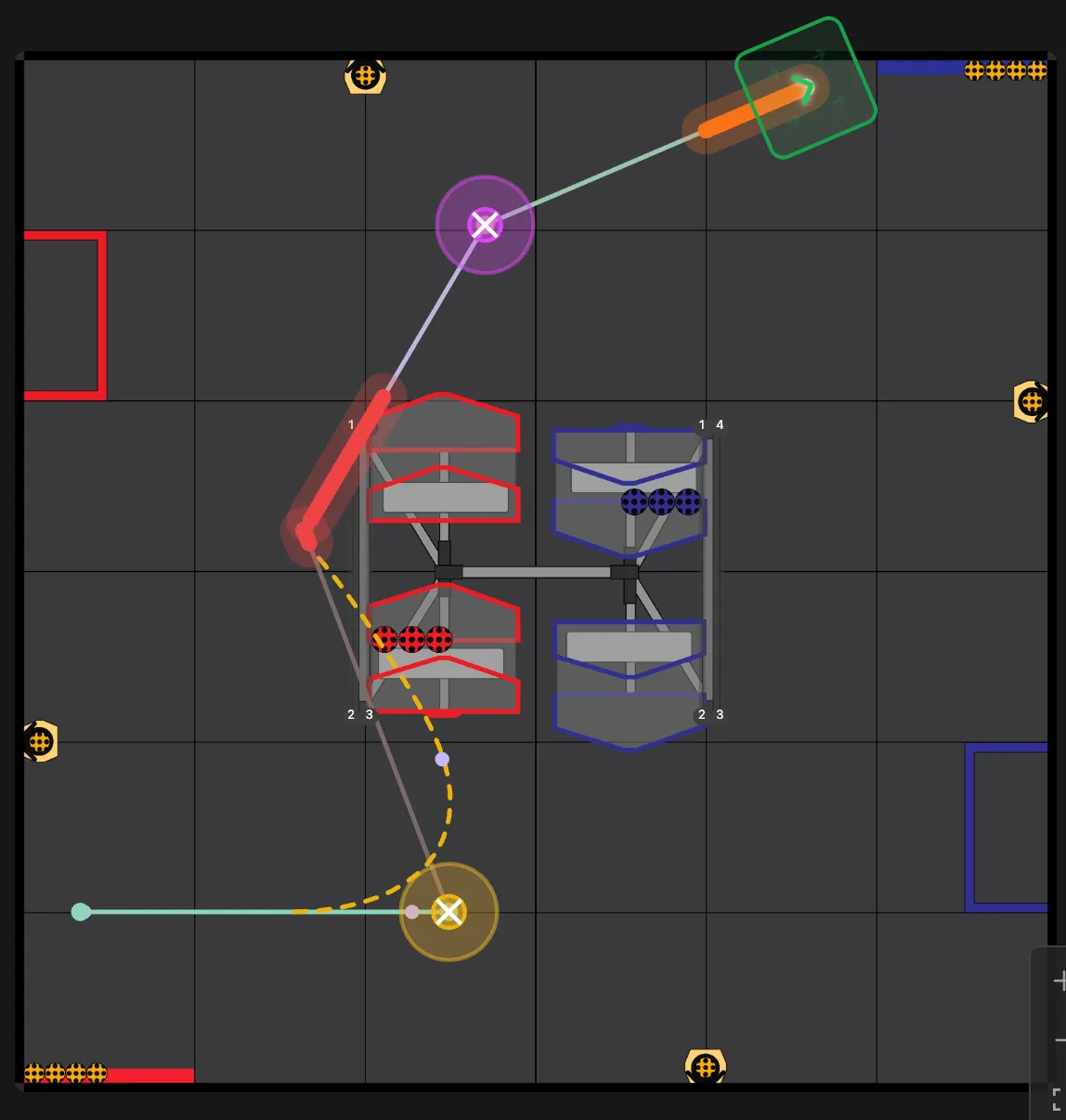
Path Validation and Path Optimization

Validation markers on the field: a red stretch where the path runs into an obstacle, a yellow marker at a chained corner, and a magenta marker at a zero-length segment.

Export the code

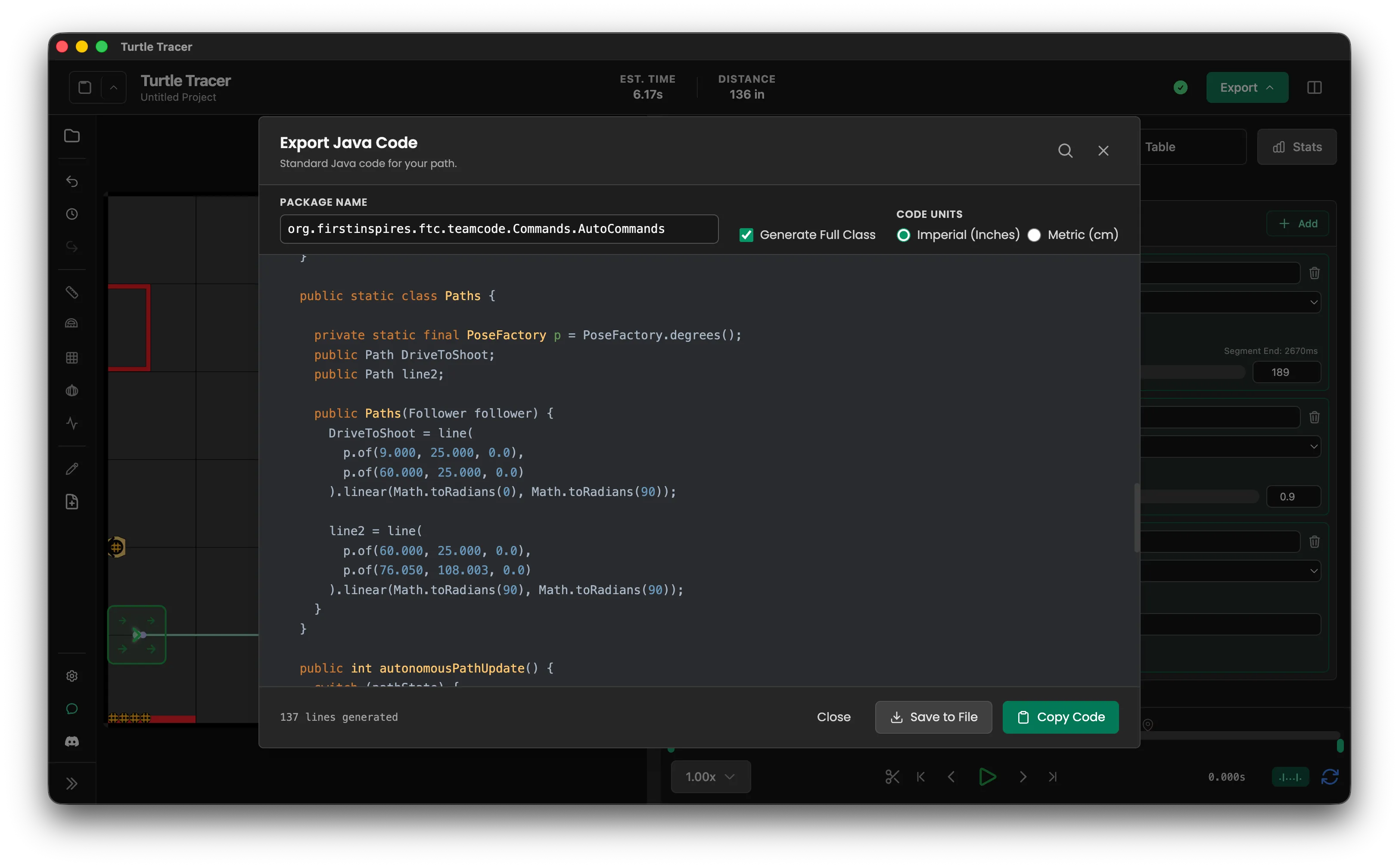
Java or Kotlin, as a plain OpMode or for SolversLib, NextFTC, or Ivy.

Event markers run your robot's actions at exact points along a path.
Exporting Code

The Export Java Code dialog, with the package name, the Generate Full Class option, code units, and a code preview.

See it on the real robot

TurtleTracerLib sends your robot's position to the app over Wi-Fi, so you can watch it on the field.

Import a log from a run to compare it with your plan.

Live View and Telemetry Overlay

Install

Desktop app

macOS, Windows, and Linux.

Install

Browser

Nothing to install, with some limits.

Open Turtle Tracer or read Browser Support

TurtleTracerLib

For your robot project.

Add the library

Last updated: